
Google analytics allows you transfer ownership to any other person in your company or to any of your client. Below are the steps to transfer google analytics ownership.
Transfer Google Analytics Account Ownership
Step 1: Sign in to your analytics account
Step 2: Go to Admin & Select the Account access management
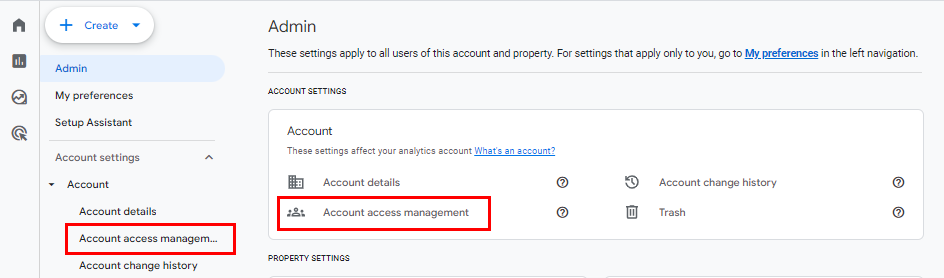
Step 3: Click on plus sign and select add user

Step 4: Write the email address of the person you want to give access to
Step 5: check all for to give full admin access
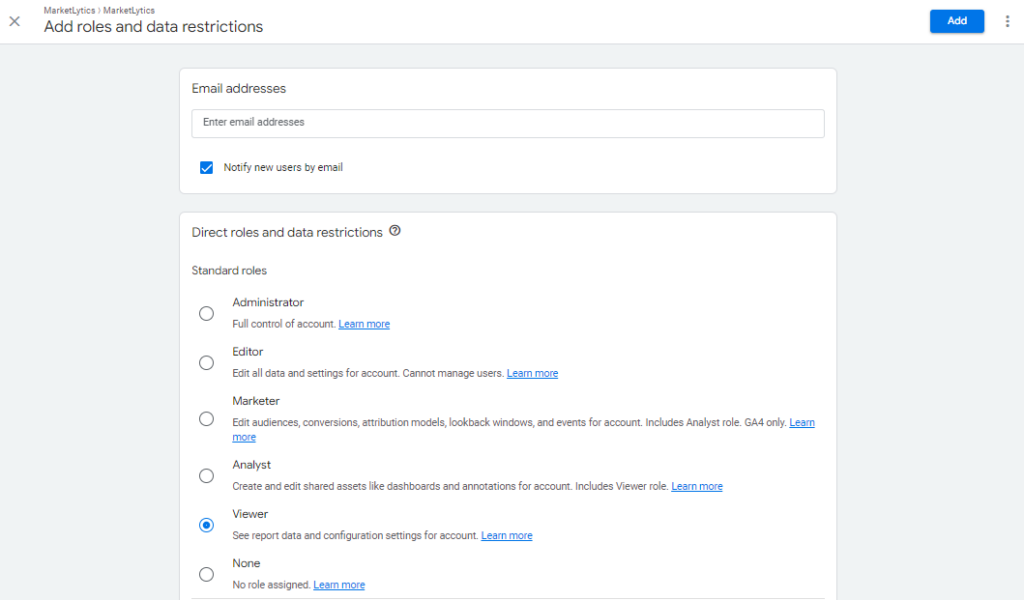
Step#6: click Add button and you are done.

Transfer Google Analytics Property Ownership
Step 1: Sign in to your analytics account
Step 2: Go to Admin & select the property access management
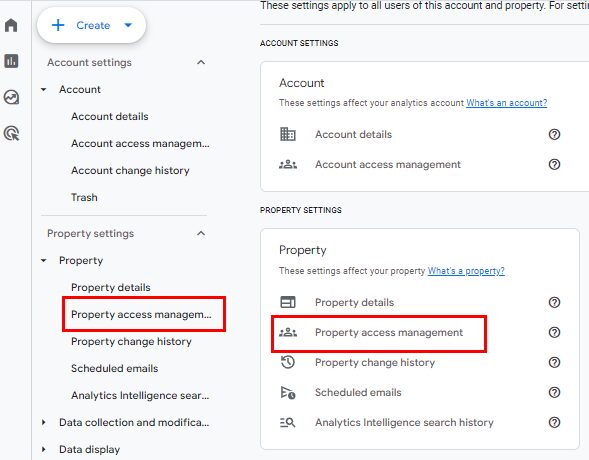
Step 3: Click on plus sign and select add user

Step 4: Write the email address of the person you want to give access to
Step 5: check all for to give full admin access
Step#6: click Add button and you are done.