Blog

Home > Analytics FAQs > How to move custom reports from one view to another?

How to move custom reports from one view to another?

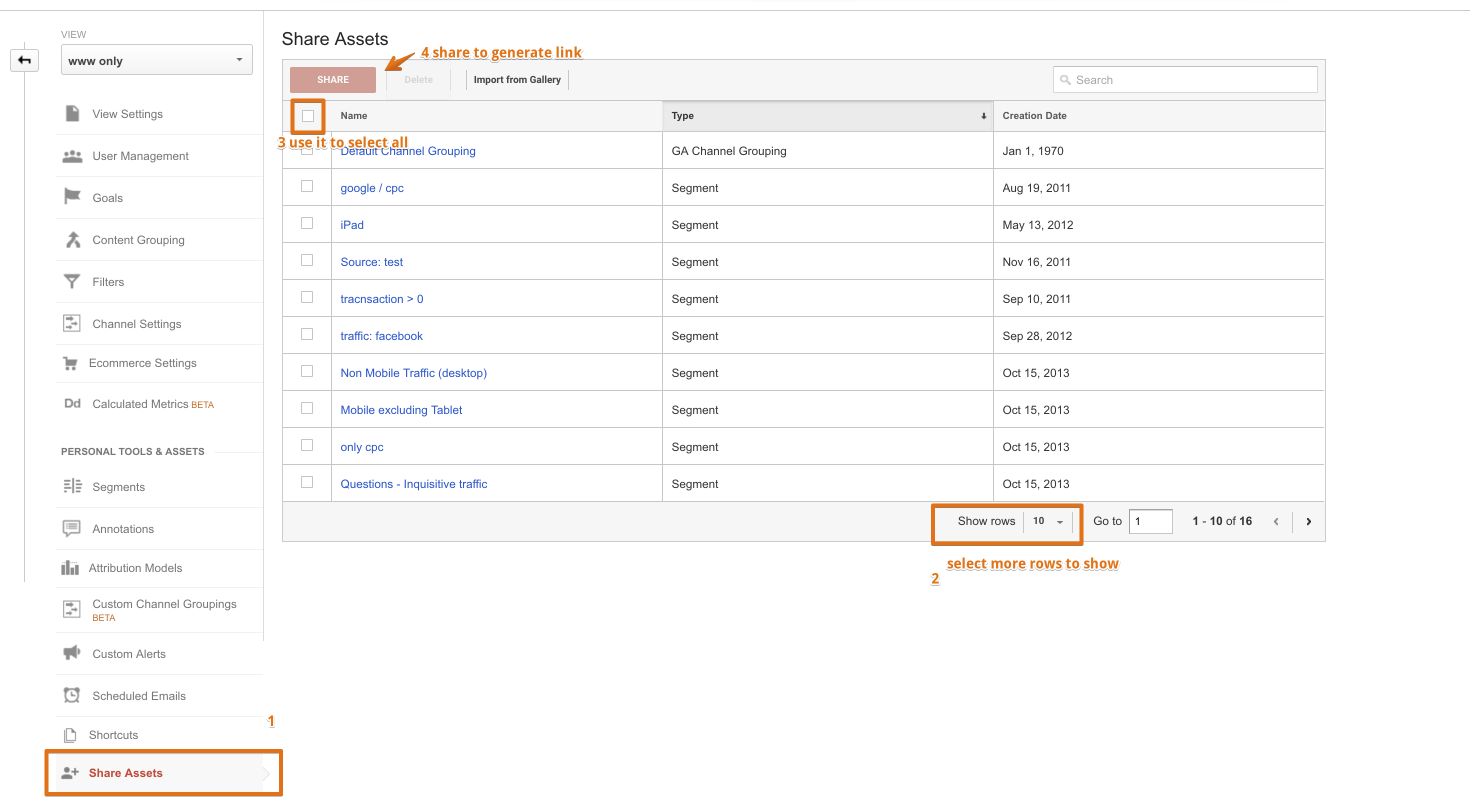
Here is a simple method which is easy and time saving for moving your custom reports from one view to other in Google Analytics. For doing this, you will have to navigate to Admin >> view >> Share Assets, select the reports you want to share and press share button to share as shown in the below screenshot.

500 image asset

Share:

Hussain

Analytics Strategy Pioneer

C-Suite Whisperer 14 Years Industry Vet

Case Studies

Discover our latest success stories and see how innovative strategies drive measurable results.

Are you Ready to Fast Track your Marketing Attribution Decisions and Maximize your ROI?

Businesses that leverage automated marketing
attribution see a 20-30% improvement in ad
spend efficiency.