Google analytics custom dashboards contain the most important data that is frequently viewed. Every view in analytics has a by default dashboard, which has some prebuilt widgets. The dashboards created by you are called custom dashboards.
You can export, email and share these dashboards. You can either create custom dashboards or import using a template link.
Below are the steps to create a custom dashboard in GA4:
Step # 1 : Log in to GA4 and navigate to the property you want to create dashboard for
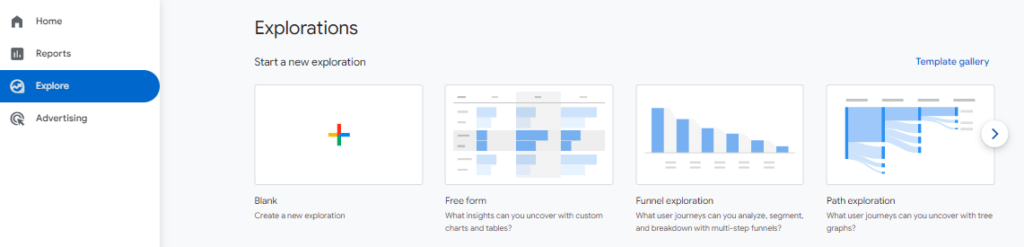
Step # 2 : Go to Explore tab and chose from the templates you want to create or select blank
Step # 3 : Add dimensions and metrics that matches your need.
Step # 4 : Click on chart type on top of exploration and choose how to visualize the data from available options like ‘funnel exploration’ , ‘free form’, ‘path exploration’ etc.
Step # 5 : Apply filters and segments.
Step # 6 : Save your dashboard.
Here’s a sample Dashboard