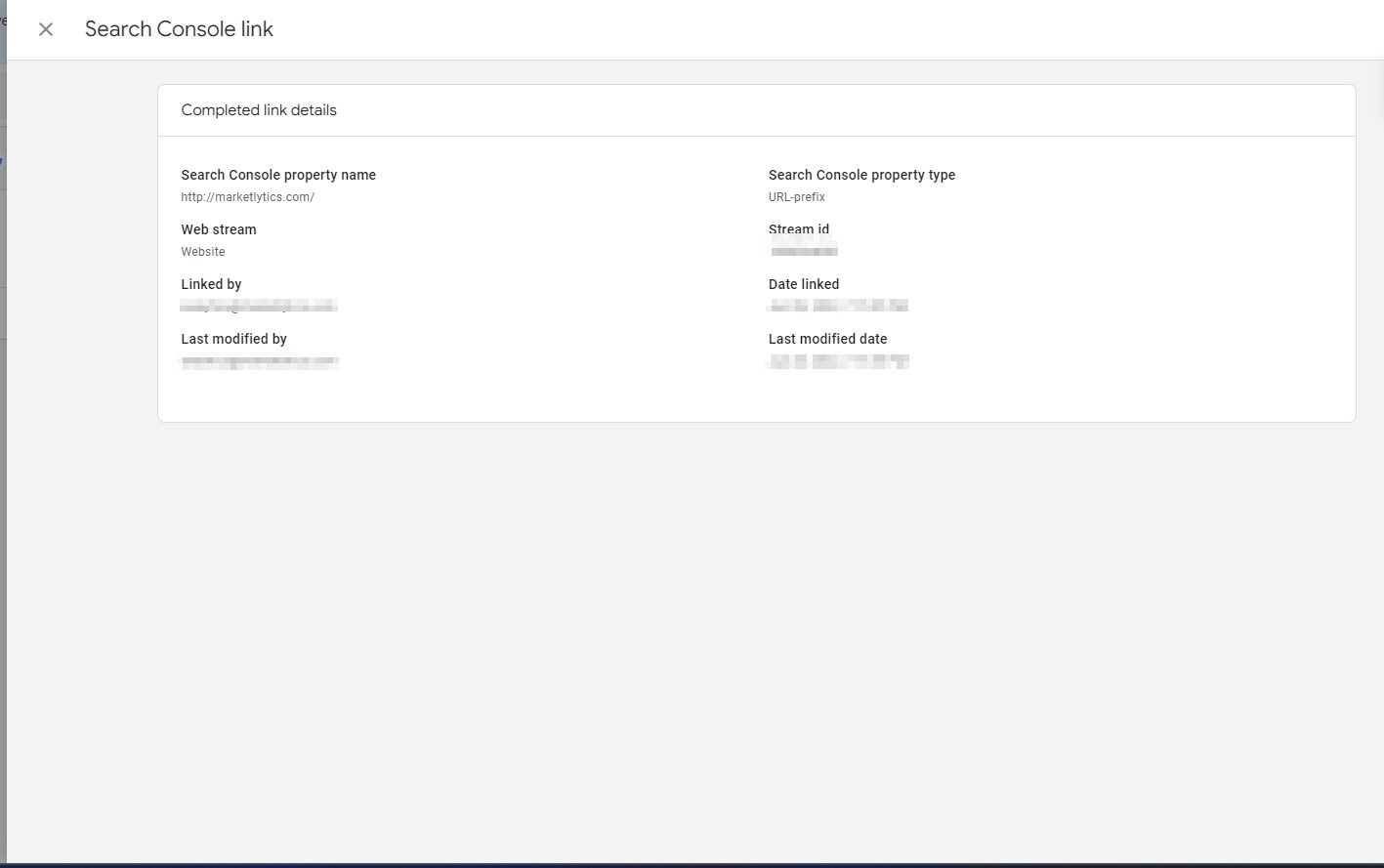
Follow the steps below to enable data sharing within the Search Console and Google Analytics accounts.
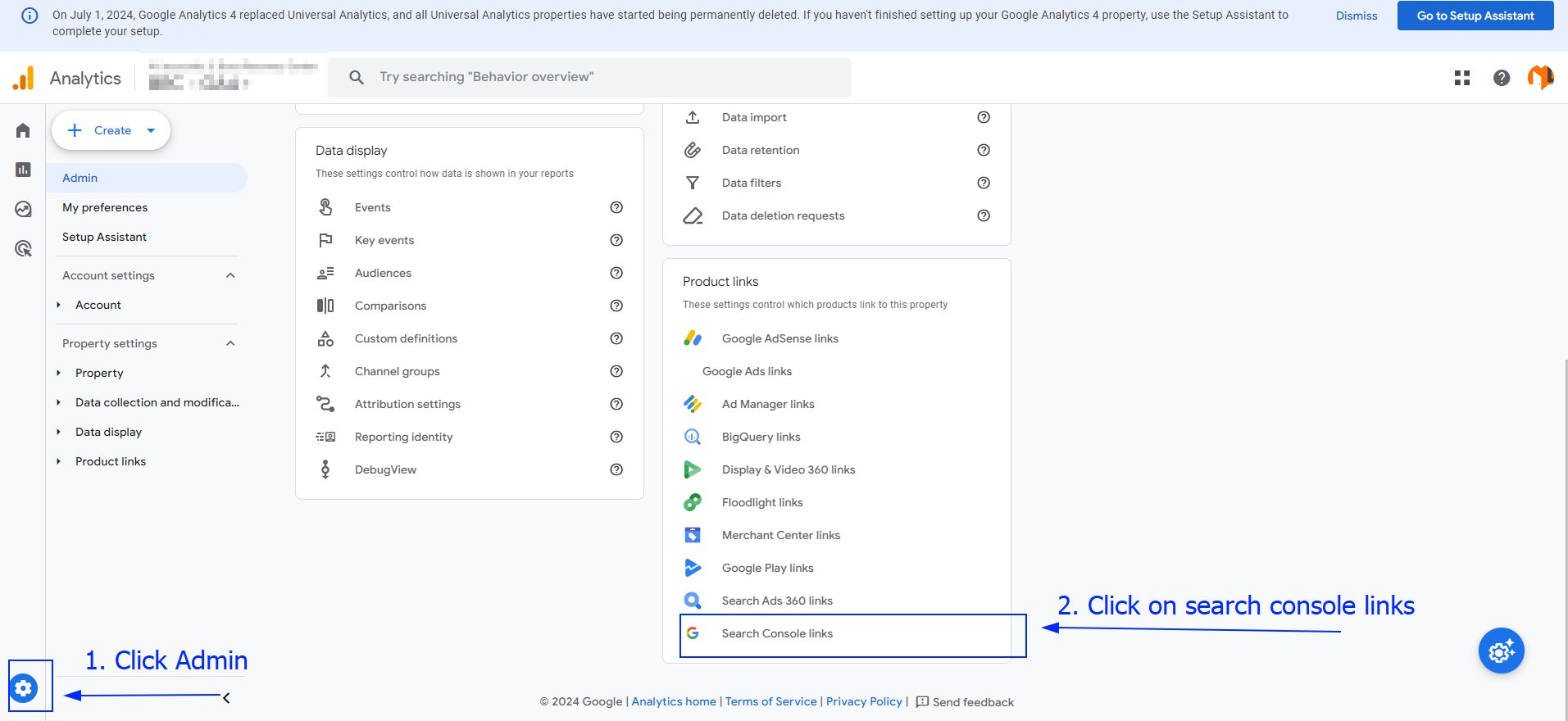
- Sign in to your Google Analytics account and move to the ‘Admin’ tab. Under Product Links, click on Search Console Links, a prompt will appear where you can choose the property you want to link with your GA4 Account.

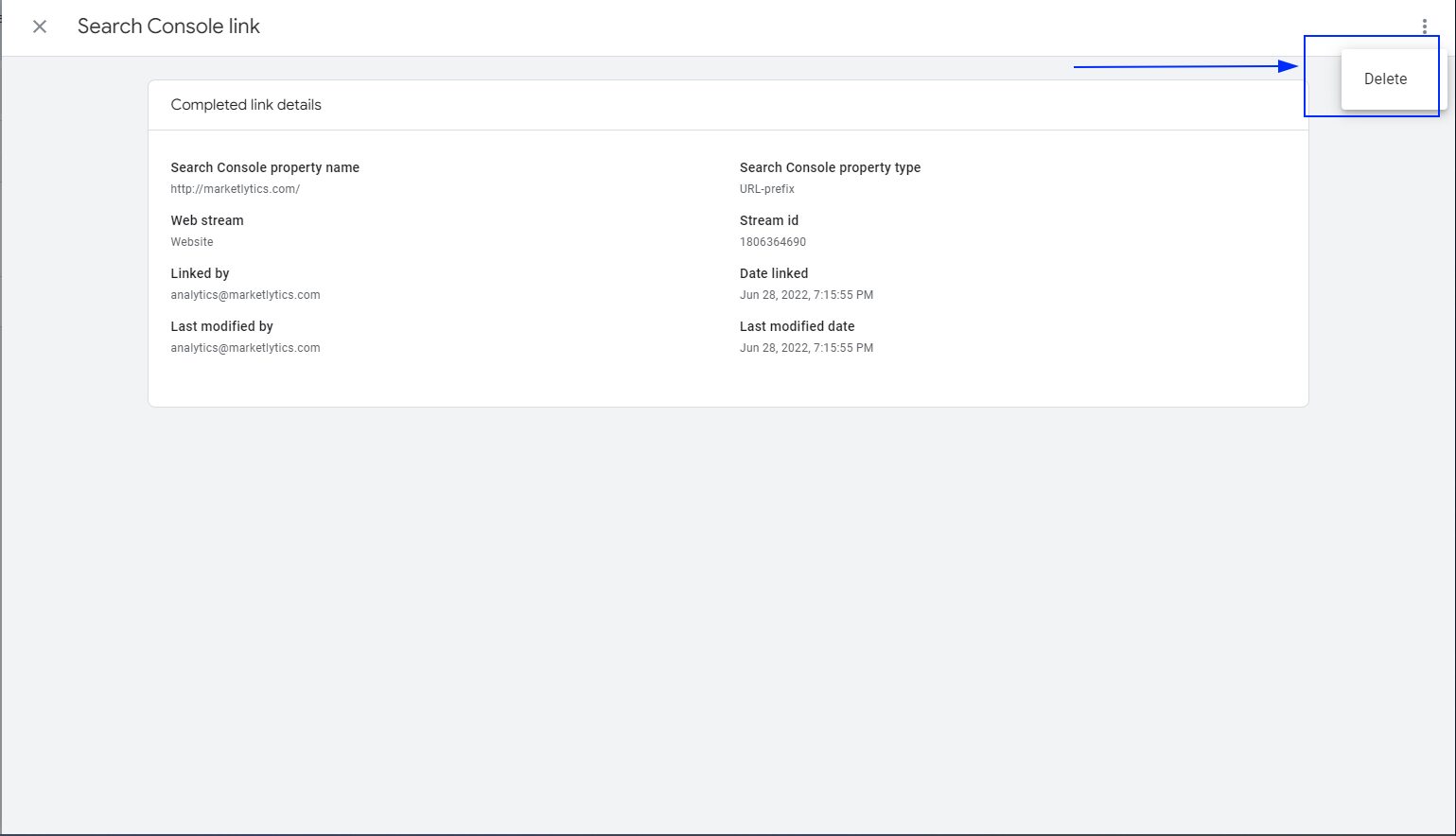
2. You can remove any association with previous website by clicking the three dots on top right and choosing the delete link.
 3. Now, go back to your Analytics account and refresh the page, if you’ve done everything correctly, you will notice that the Search Console property is connected to your analytics account property. And just like that, you’re done!