Inside the Looker Studio multiple users can share segments to a single report. Which means segments from multiple analytics accounts can be shared to a single Looker Studio report. In this guide, I will show you how you can allow or deny access to other users from accessing your segment in Looker Studio.
When creating a data source for a dashboard there are two options for data source access as shown in the below image.
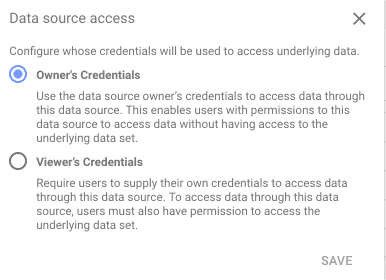
If you select access using owner’s credentials the user viewing dashboard will be able to see data with segments you have available
If it’s the Viewer’s credentials user will need to have permission to view the segment in his/her GA account.
click here to go through a step by step guide to Looker Studio.